
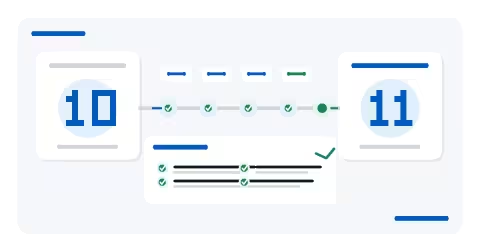
Drupal 10 is approaching the end of its support lifecycle. According to Drupal's official release schedule, 10.6.x is the final Drupal 10 minor and end of life is set for December 9, 2026. No new Drupal 10 releases will be made after that date.
That deadline calls for planning, not a rushed upgrade. The useful goal is to understand what would block Drupal 11 today, work through those gaps in a controlled way, and rehearse the upgrade in a safe environment before production is touched.
What does Drupal 10 end of life actually mean?
Drupal 10.6.x remains within the project's planned support window until end of life. December 9, 2026 is the end of the Drupal 10 major branch: after that point, Drupal 10 will no longer receive new releases.
For an organisation, this is about more than the version number shown in the administration interface. Staying indefinitely on an end-of-life major can turn ordinary dependency, hosting or module changes into urgent decisions. Starting earlier gives teams room to discover incompatibilities, choose the right fixes and schedule a controlled production change.
The first step is to establish the real state of the project: exact core version, PHP and database versions, contributed and custom modules, theme, Composer dependencies, integrations and business-critical journeys. A useful Drupal audit starts with that inventory rather than with a single update command.
Is this a migration or an upgrade?
For a maintained modern Drupal 10 site, moving to Drupal 11 is a major-version upgrade. Content, configuration and application code stay within the same Drupal project, provided the site follows the supported upgrade path and its extensions are compatible.
The word “migration” is still common in project conversations and search queries, but older sites can be a very different job. Drupal 7, for example, usually needs a migration or rebuild assessment: content architecture, replaced modules, theming and integrations may all need to be reconsidered. Drupal 7 itself reached end of life on January 5, 2025.
Drupal 9 also needs a sequential path. Drupal core does not support skipping a major version: a Drupal 9 site must move to Drupal 10 first and then prepare for Drupal 11. For an old or poorly documented site, the right first move is to reconstruct a supported path rather than look for a shortcut to the newest major.
If your project is already on Drupal 10, our Drupal migration service covers major upgrades and modernisation work. If the scope is still unclear, start with a compatibility audit.
What to check before Drupal 11
Drupal's official Drupal 10 to 11 guide requires at least Drupal 10.3.x as the source version. That is a minimum, not a recommendation to leave an older 10.x site frozen there. In practice, bringing a project onto a currently supported Drupal 10 release before the major upgrade makes it easier to separate routine updates from Drupal 11 compatibility work.
Drupal 11 also requires PHP 8.3 or later. Database and other platform requirements have changed as well, so readiness work must include the hosting/runtime layer rather than focusing only on Drupal application code.
Core and platform
- Identify the exact Drupal core version and confirm a supported path to a current Drupal 10 release before moving to 11.
- Check PHP, database engine, PHP extensions and the other current Drupal 11 system requirements.
- Review the Composer version and the consistency of
composer.jsonandcomposer.lock.
Contributed modules and custom code
Upgrade Status remains Drupal's dedicated tool for reviewing major-version readiness. It checks whether the current core supports the intended upgrade, whether the environment meets the next major's requirements, and whether contributed or custom code still relies on incompatible or deprecated APIs.
- Move contributed modules to compatible releases where available.
- Identify abandoned modules, replacements and long-lived patches that need a deliberate decision.
- Scan custom modules and themes for deprecated APIs.
- Run compatibility checks on Drupal 10 before upgrading, while the older APIs can still be detected accurately.
Data, configuration and integrations
An upgrade can be technically valid and still break an important user or editorial journey. Review the database update path, exported configuration, languages, fields, text formats and entity references, then include the systems around Drupal.
- Forms, transactional mail and their downstream processing.
- Inbound and outbound APIs, webhooks and third-party authentication.
- Cron, queues and deferred processing.
- Search, caching, indexing and any external services.
- Multilingual flows, aliases, canonical URLs and hreflang where applicable.
Why composer update is not the real project
Composer is essential for a modern Drupal codebase, and the official upgrade guidance includes checking dependency resolution before running the actual update. But a successful Composer operation does not prove that the website is production-ready.
The harder work is often around core: a contributed module whose compatible release changes behaviour, a deprecated API embedded in business logic, a theme built around old rendering assumptions, configuration that has never been replayed cleanly, or a critical journey that exists only as a manual habit.
Environment differences matter too. An upgrade that starts successfully on a developer machine can fail elsewhere if PHP, the database, extensions or external services do not match. Treating the upgrade as a full delivery chain keeps the focus on dependencies, code, data, configuration, infrastructure, deployment and validation together.
Regular Drupal maintenance reduces this burden by avoiding several generations of updates, deprecations and dependency changes accumulating into one large project.
How we reduce upgrade risk
We treat a major upgrade as a sequence of checks and proofs rather than one big operation. The depth varies by site, but the delivery logic is consistent.
- Audit and inventory. Establish the versions, dependencies, modules, custom code, theme, configuration and integrations that matter.
- Compatibility backlog. Separate straightforward updates from code changes, module replacements and functional decisions.
- Backup and rollback. Define the recovery path before the first production mutation.
- Isolated implementation. Develop and test the changes away from production with repeatable checks.
- Real preproduction validation. Exercise the candidate in PREPROD before a production cutover is considered.
- Representative data when needed. For defects that only appear with realistic content, we can use a PREPROD environment derived from production and sanitised before activation. The process is designed so raw production data does not pass through GitHub-hosted runners.
- Automated and human checks. Technical tests are combined with editorial and business journeys that matter for the site.
- Controlled production deployment. Production is changed only after the candidate and recovery procedure have been validated.
- Post-deployment verification. Critical journeys and technical signals are checked again after release.
This discipline cannot remove every unexpected issue, but it moves important discoveries away from the production cutover itself. It is also how our Drupal agency in Belgium separates technical readiness from the decision to deploy.
What kind of project are you facing?
- Recent, well-maintained Drupal 10
- Start with a Drupal 11 readiness audit covering the platform, contributed modules, custom code, deprecations and Composer dependencies. If the gaps are small, the work can remain a focused major-version upgrade.
- Drupal 10 with technical debt
- Build a compatibility backlog first. Unmaintained contributed modules, older custom code, historical patches and hosting constraints should be resolved explicitly before a cutover is scheduled.
- Drupal 9
- Re-establish a supported sequential path. Drupal 9 cannot be upgraded directly to Drupal 11; it must move through Drupal 10 first.
- Drupal 7
- Assess migration or rebuilding rather than presenting the work as a simple in-place update. Content architecture, module replacements, theme and integrations need to be evaluated against the actual site.
- Unknown or poorly documented project
- Inventory the system before choosing the solution. A Drupal audit helps avoid deciding too early between an upgrade, a migration and a rebuild.
If the project also needs a substantial UX, architecture or theme change, a Drupal redesign can be assessed separately. A core major upgrade alone should not be used as a reason to force a redesign.
When should you start?
The fixed date is December 9, 2026. The right start date depends on the condition of your site, not on a generic countdown.
A clean Drupal 10 site with limited customisation has a different backlog from a platform with several custom modules, critical integrations or older dependencies. Starting before the deadline gives you time to uncover those differences, choose the right fixes, rehearse the upgrade in PREPROD and book a production window that fits the organisation.
If you first need to size the work, audit your Drupal site before the upgrade. If the scope is already clear, you can prepare your Drupal 11 upgrade with an implementation and validation plan.
Drupal 10 → Drupal 11 checklist
Use this as a practical starting point for an internal readiness review.
- ☐ Record the exact Drupal core version and confirm the path to a supported Drupal 10 release.
- ☐ Confirm that the source version meets the Drupal 10.3.x minimum for the Drupal 11 upgrade path.
- ☐ Verify PHP 8.3 or later and the current Drupal 11 platform requirements.
- ☐ Review contributed module versions and Drupal 11 compatibility.
- ☐ Scan custom modules and themes for deprecated or removed APIs.
- ☐ Review Composer constraints and test dependency resolution before the real update.
- ☐ Verify the database update path and that configuration can be replayed cleanly.
- ☐ Define and test backup and rollback procedures.
- ☐ Prepare a representative PREPROD environment isolated from production.
- ☐ Decide which representative data is actually needed and how it will be sanitised.
- ☐ Test critical business journeys, including authentication, search and editorial workflows.
- ☐ Test forms, email, APIs, webhooks and other integrations.
- ☐ Check cron, queues and deferred processing.
- ☐ Check languages, aliases, canonical URLs and hreflang where relevant.
- ☐ Run the available automated test suite and add focused human validation.
- ☐ Prepare the deployment procedure, health checks and rollback criteria.
- ☐ After deployment, review logs and validate critical journeys before closing the upgrade.
A Drupal 11 upgrade does not need to become a dramatic one-off event. With the right preparation, it becomes a compatibility, validation and deployment project that can be broken down and verified.
Want to frame the work before production is touched? Talk to us about your project.