
“What content types do we use on our website, and which fields are needed for a news article?”
A communications manager could put that question to an AI assistant. Without access to the actual website, the assistant might explain how Drupal usually works, but it cannot know which content types and fields are configured on that particular site.
Giving it an administrator account would provide far more access than the question requires. A carefully authorised read operation should be sufficient.
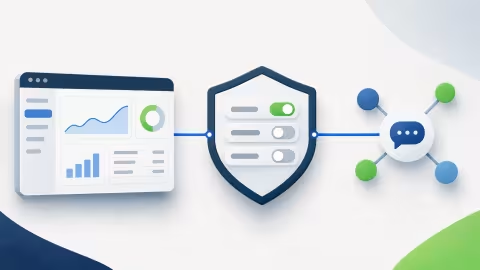
This is where the Model Context Protocol (MCP) can help: it offers a way for an AI application to use well-defined tools instead of giving an agent unrestricted control over another system.
The following example is hypothetical. It explains a possible design, not an MCP integration already demonstrated by E-merging Digital.
A practical example: an agent reads a Drupal website's structure
Imagine a federation with a members' portal. The site includes news, service pages and documents, some of which are visible only to particular users.
The editorial team would like an assistant to explain the content model. It begins with two questions:
- “Which content types is this account allowed to know about?”
- “What fields have been defined for a news article?”
An integrator could design two read-only MCP tools:
- List permitted content types, including their labels.
- Describe fields for an allowed content type, such as field names, field types, whether fields are required and whether they can be translated, without exposing content values.
The account in this example is not an administrator. The permitted content types and fields are explicitly limited and checked against the application's permissions.
From a question to a structured response
The flow can be described in one line:
User → AI agent and MCP client → MCP server → authorised business tool → Drupal API or services → structured response → user.
In our example:
Step 1. The manager asks which fields are needed for a news article.
Step 2. Through its MCP client, the agent requests the approved field-description tool.
Step 3. The MCP server identifies the account associated with the call, checks the relevant permissions and calls the designated Drupal service.
Step 4. The server returns only the authorised field properties, and the assistant presents them in a useful explanation.
The business application remains the source of truth. The agent should neither guess the configuration nor receive administrative privileges just to answer a simple question.
What if the agent asks for something forbidden?
Now imagine the agent asks: “Show me the private records reserved for the management team.”
If the connected account is not authorised to see those records, the server and the underlying application must refuse the request. The agent cannot gain that permission by claiming to work for management or describing the request as urgent.
A safe refusal should avoid leaking information that reveals the content or even the existence of confidential records.
Likewise, asking the agent to publish a page, delete a record or grant administrator rights would fall outside our two read-only tools. Those actions would require a separate design, authorisation and, where appropriate, explicit human approval.
In a real project, the denials must be tested as carefully as the successful requests. An integration that handles the permitted case but leaks information through a forbidden request is not ready.
MCP, an API and an AI agent are not the same thing
These three concepts serve different purposes.
An API allows software to provide functions or data through a defined technical interface. A CRM, Drupal website or internal application may already have APIs and permission checks.
An MCP server exposes selected tools or resources to compatible MCP clients, describing their purpose and accepted arguments. It can make use of an existing API rather than replacing it.
An AI agent interprets a user's request and may choose to call an available tool. That decision does not give it authority over business data or override the application's permissions.
In short, MCP organises communication; it does not replace access control. The integration and the underlying business application are responsible for deciding whether a result may be returned.
Why read-only does not mean risk-free
Even a tool that never modifies data can disclose information: the name of a confidential record, internal configuration or the existence of a private document.
So read-only access must also be limited to information the connected account has permission to read. The server needs to validate arguments, limit result sizes and filter responses. On a Drupal site, the rules may vary by individual content item or translation, not just by content type.
Another question is what happens to the response if the AI agent uses an external service. Potential data transfers, recipients and confidentiality requirements need to be examined for each deployment. MCP alone cannot guarantee that processing and storage stay within your infrastructure.
Four checks that really matter
1. A verifiable identity. Which person or technical account is linked to each tool call? An agent claiming to represent a team is not proof of its privileges. Server-side identity and permissions must be checked.
2. A narrow tool. Each tool should perform a clearly defined task with bounded, typed parameters. Unrestricted system commands, arbitrary SQL and general administration are unnecessary for an editorial question.
3. Minimal disclosure. Results should contain only necessary, permitted information. Passwords, unnecessary personal data and confidential settings must not appear in responses or error messages.
4. Useful audit records. Operators should be able to see which tool was invoked, with what account and outcome, without turning logs into a duplicate store of sensitive information.
These safeguards matter more than the number of tools in a demonstration.
Does the application have to be Drupal?
No. The same approach can apply to Symfony or Laravel applications, WordPress websites or a custom business API.
The questions remain the same: which functions already exist, which permissions protect them and which stable interface can be used without creating a parallel administration system?
A sound integration starts with existing business services. SDK or adapter selection comes later, after checking their compatibility, dependencies and maturity.
Five steps for a first MCP pilot
1. Start with a specific question. For example: “Which content types and fields can this account inspect on our portal?”
2. Find the authoritative source and the access rules. Which application holds the answer? Which account is allowed to see it today? Is anything private?
3. Define one to three consultation tools. Specify their purpose, allowed inputs, expected responses and prohibited operations.
4. Test what should fail too. Try an unauthorised account, a forbidden resource, invalid parameters, excessive results or an unavailable service. A safe refusal is part of the evidence.
5. Decide on deployment separately. The pilot must be reproducible, documented and reviewable. Production use requires further security and operational checks.
Sometimes the right recommendation is to use a conventional API or simpler workflow instead of MCP. That can be a valuable outcome too.
The best first project is not the one with the most permissions
Connecting an AI agent to a business application can make existing information easier to use. Yet the quality of the integration depends on precise capabilities, enforced permissions, protected data and denials that can be verified.
At E-merging Digital, we recommend starting with an assessment of what your existing application can already do, followed, where appropriate, by a limited read-only MCP pilot. It is a practical way to explore value without opening your entire system at once.
Talk to us about your project